
We’re excited to introduce Salsa 360, our new interactive app for exploring salsa steps, timing, and rhythm.
Built with beginners in mind, Salsa 360 brings a virtual dance couple into your browser. Rotate the view, slow things down, and see how the basic step connects to the count and the music.
See the Basic From Every Angle
Drag to rotate around the dancers, switch to an overhead view, or zoom in on their footwork. Colored markers show which foot is receiving weight, with a double ring highlighting changes of direction.
You can adjust the tempo, practice at half speed, or click an individual count to pause and inspect the dancers’ position. It’s a handy way to revisit something from class or take a closer look at what your feet should be doing.
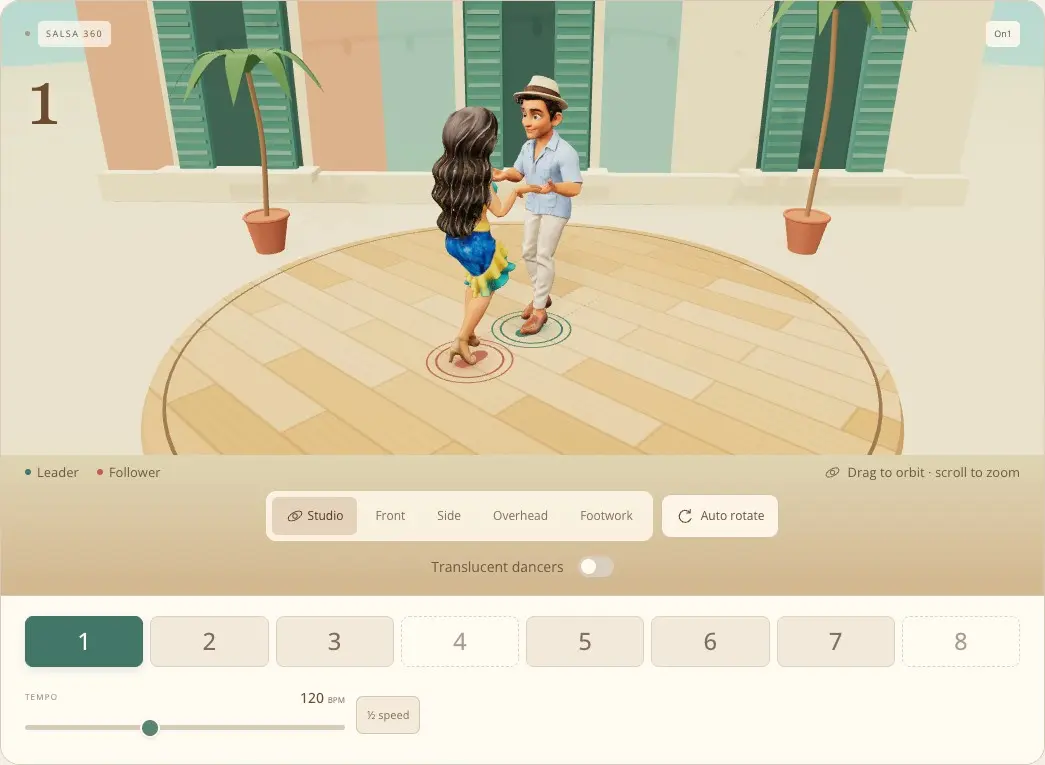
Explore Salsa Timing and Rhythm
Switch between On1, Eddie Torres On2, Tumbao / Power 2, and two clave timing options to compare how the basic lines up with the music.
The rhythm controls let you turn spoken counts, son clave, conga tumbao, cowbell, and a chord pulse on or off, with separate volume sliders for each. Try listening to the clave on its own, then bring the conga and counts back in to hear how they fit together.
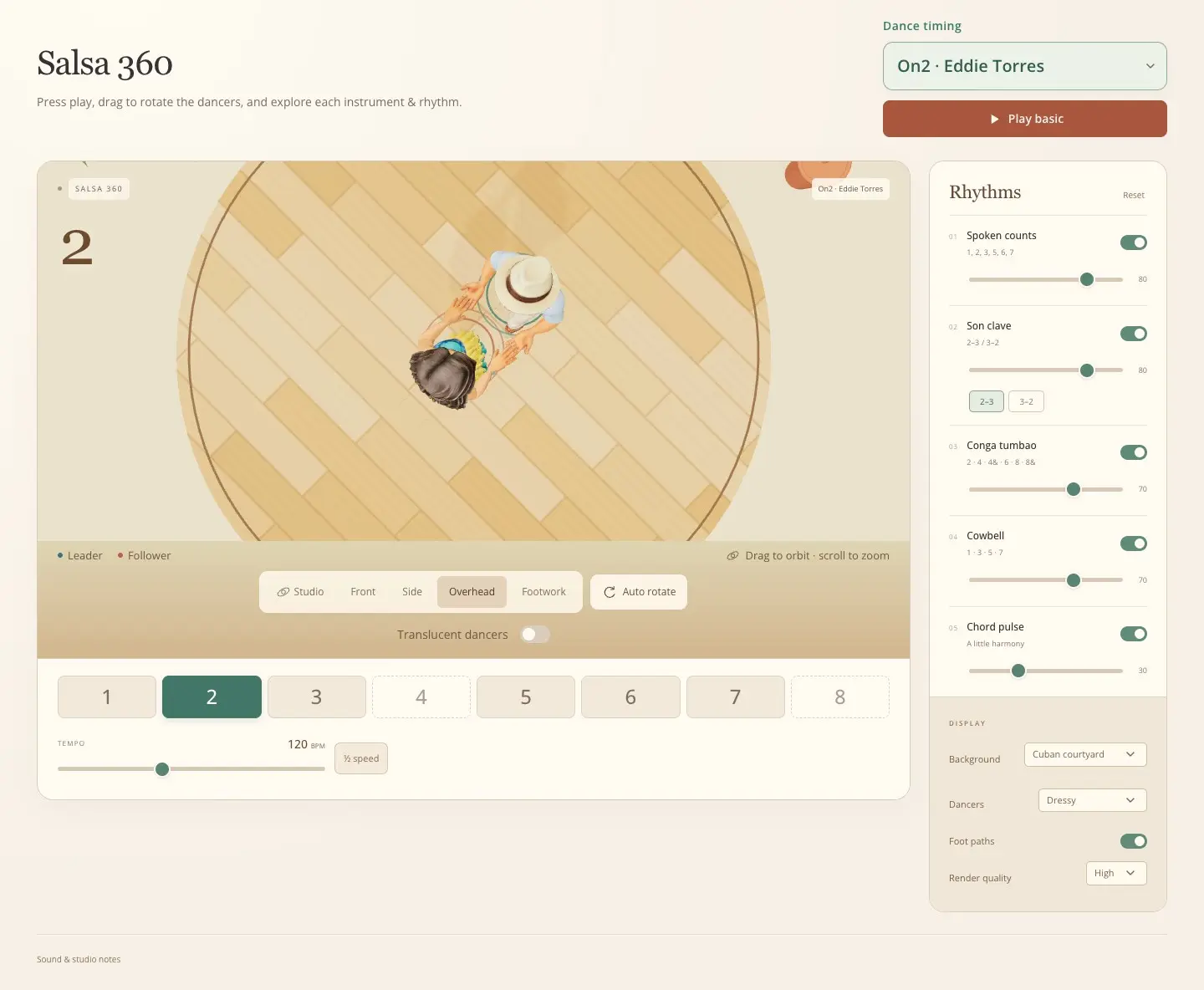
You can also choose different dancers and settings, from a Cuban courtyard to the Palladium ballroom. The app is available in 11 languages, with spoken counts to match.
Salsa 360 is free to use in your browser, with no account or download required. Whether you’re learning your first basic or exploring a different timing, we hope it gives you a new way to practice.
Try Salsa 360 and take it for a spin!